Elecom Ball Mouse disassemble
0x00 A Little Background⌗
Last 3 years, I have been used this ball mouse to prevent Tenosynovitis. And it worked well; however, last week, the left click came up a Double-click problem, which meant when left-button was clicked once, the computer would consider the button was clicked twice. To fix this problem, I decided to open the mouse.
0x01 The screw⌗
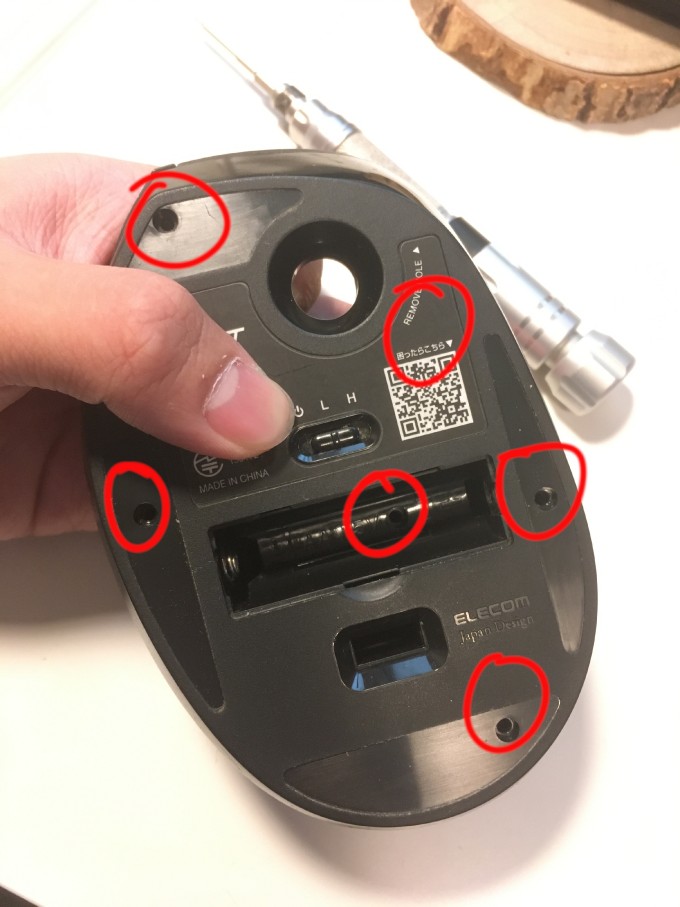
As the picture shows, to open the cover of the mouse need to remove 6 screws. The position of the screws is circled by red.
0x02 The clip⌗
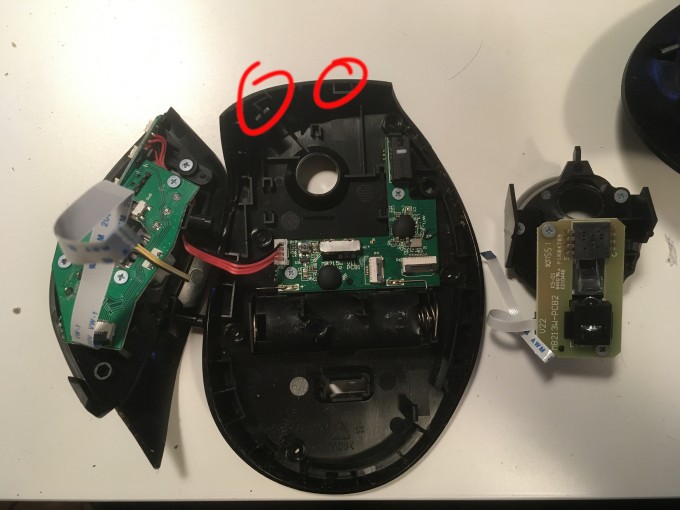
Showing by pic, the mouse has 2 clips. Just simply need a bit force to open it, but be careful, or the clip will just broke.
0x03 Finish (For me)⌗
After opened the mouse, I cleaned the micro switch. And test it with this website. Surprisingly, the problem just fixed! Haha! Fix the mouse for free!
Read other posts